Lost in your browser tabs?
Gmail, Drive, Notion, Slack, Figma — buried somewhere in thirty open tabs.
Native macOS app
Your web, without the tabs.
A native Mac app that gives every website its own window, icon, and keyboard shortcut — anything you open in a browser, now at home on your desktop.
Requires macOS 14 Sonoma or later · Free
Any website. Now a desktop app.
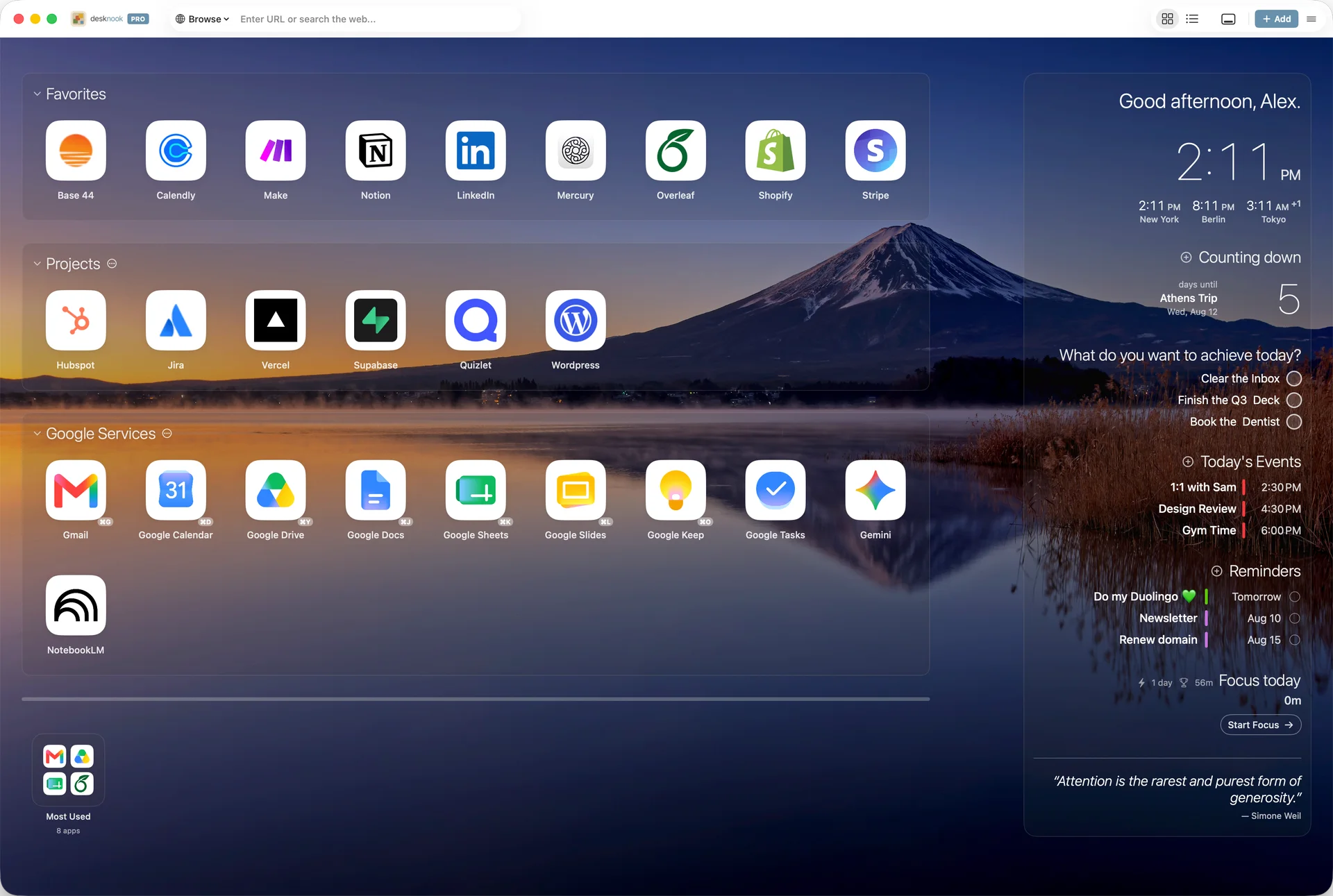
Notion, Slack, Figma, Linear — whatever you open in a browser gets its own window, icon, and place on a calm dashboard you open every morning. Ten Google apps are ready the first time you open it; add the rest from the library, or any site with a URL.
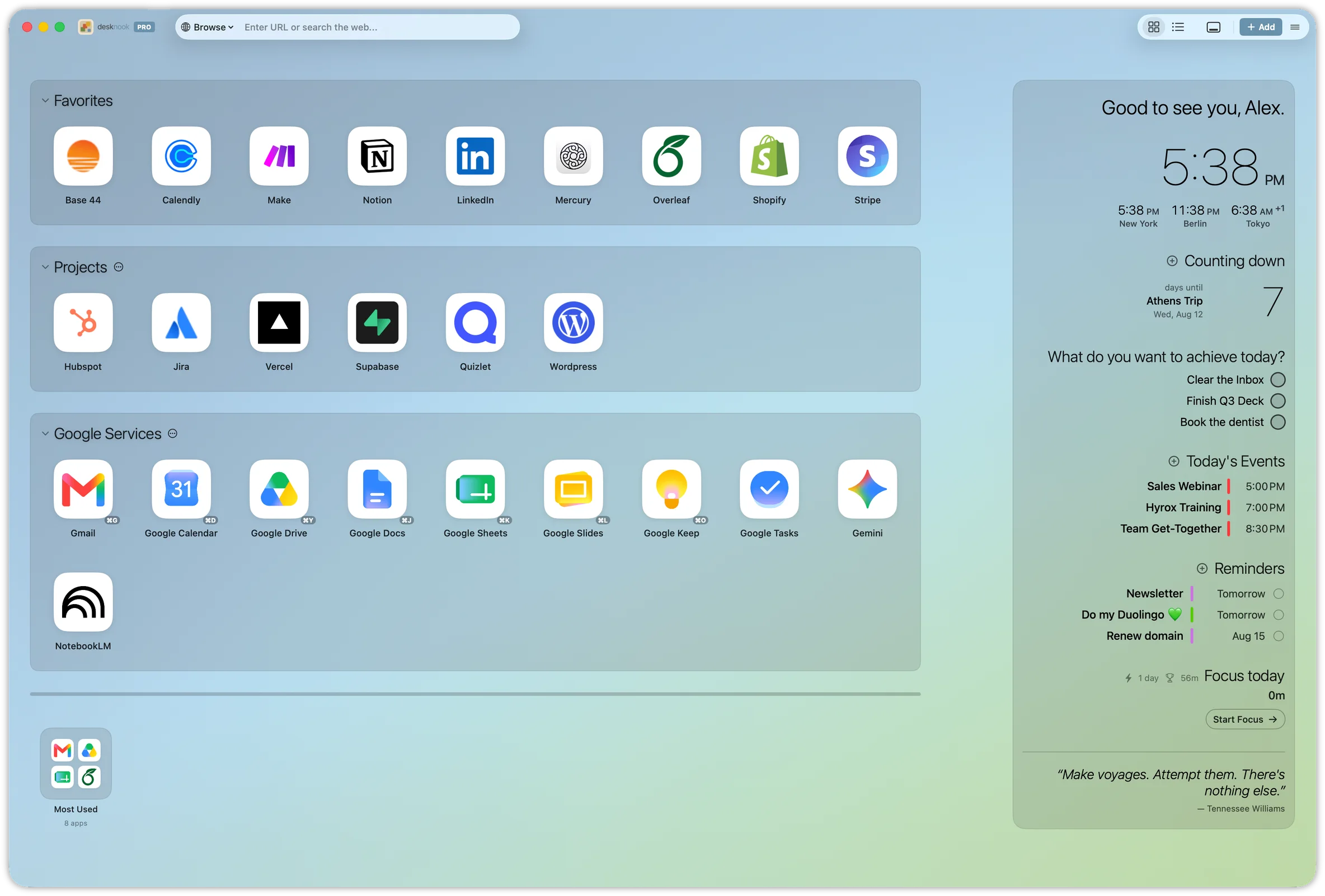
If it runs in a browser, it runs in Desknook.
Google, your tools, your whole stack — each with its own window.


Desknook is not affiliated with or endorsed by Google. All Google service names, logos, and trademarks are the property of Google LLC.
Other third-party services shown are for illustration only.
Tabs lose your apps. Desknook gives each one a home.
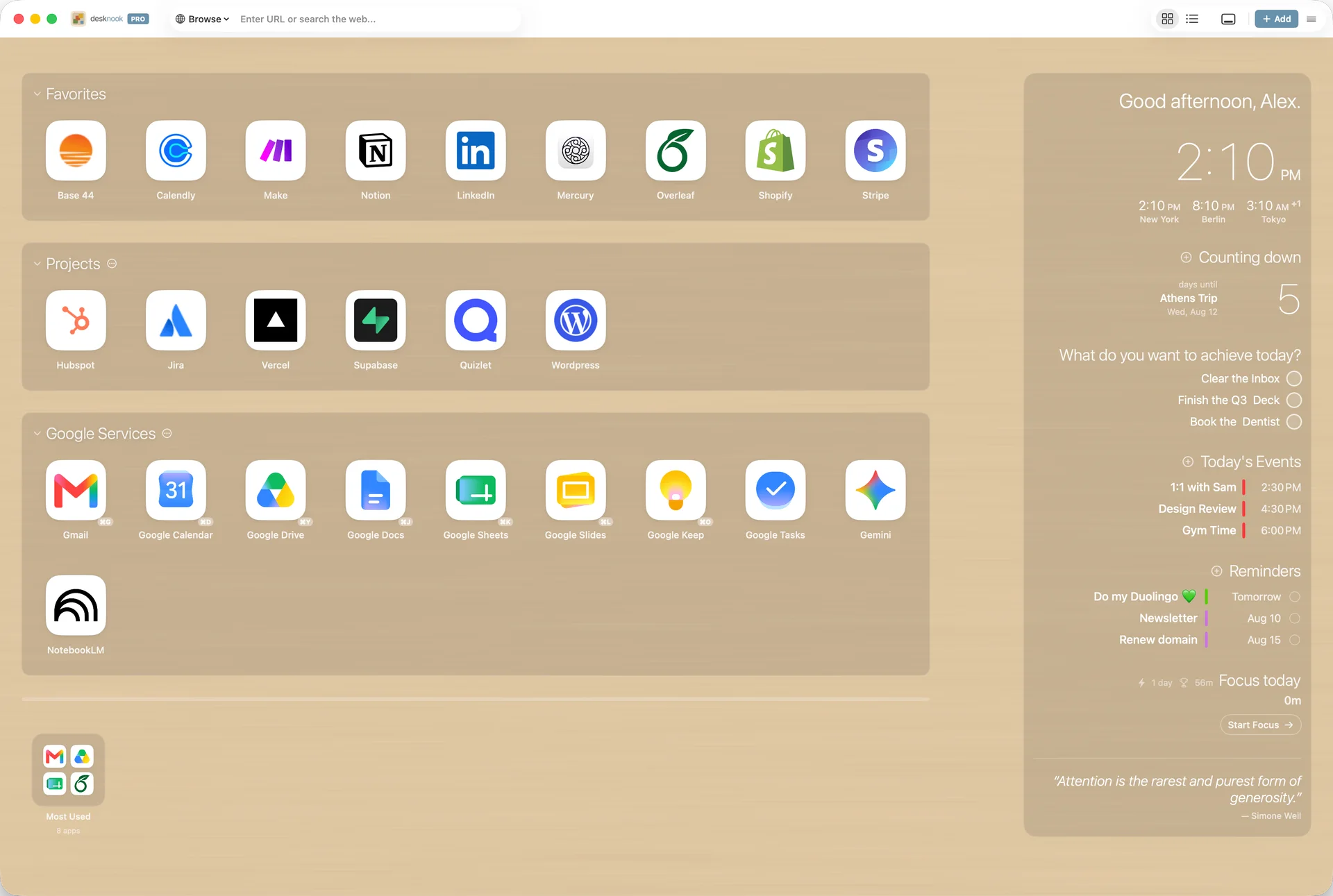
When everything lives in browser tabs, the apps you use all day get buried. Desknook gives each one a tile, an icon, and its own window — launchable with a click, a shortcut, or a menu bar pin. A dashboard that stays calm no matter how much you add.
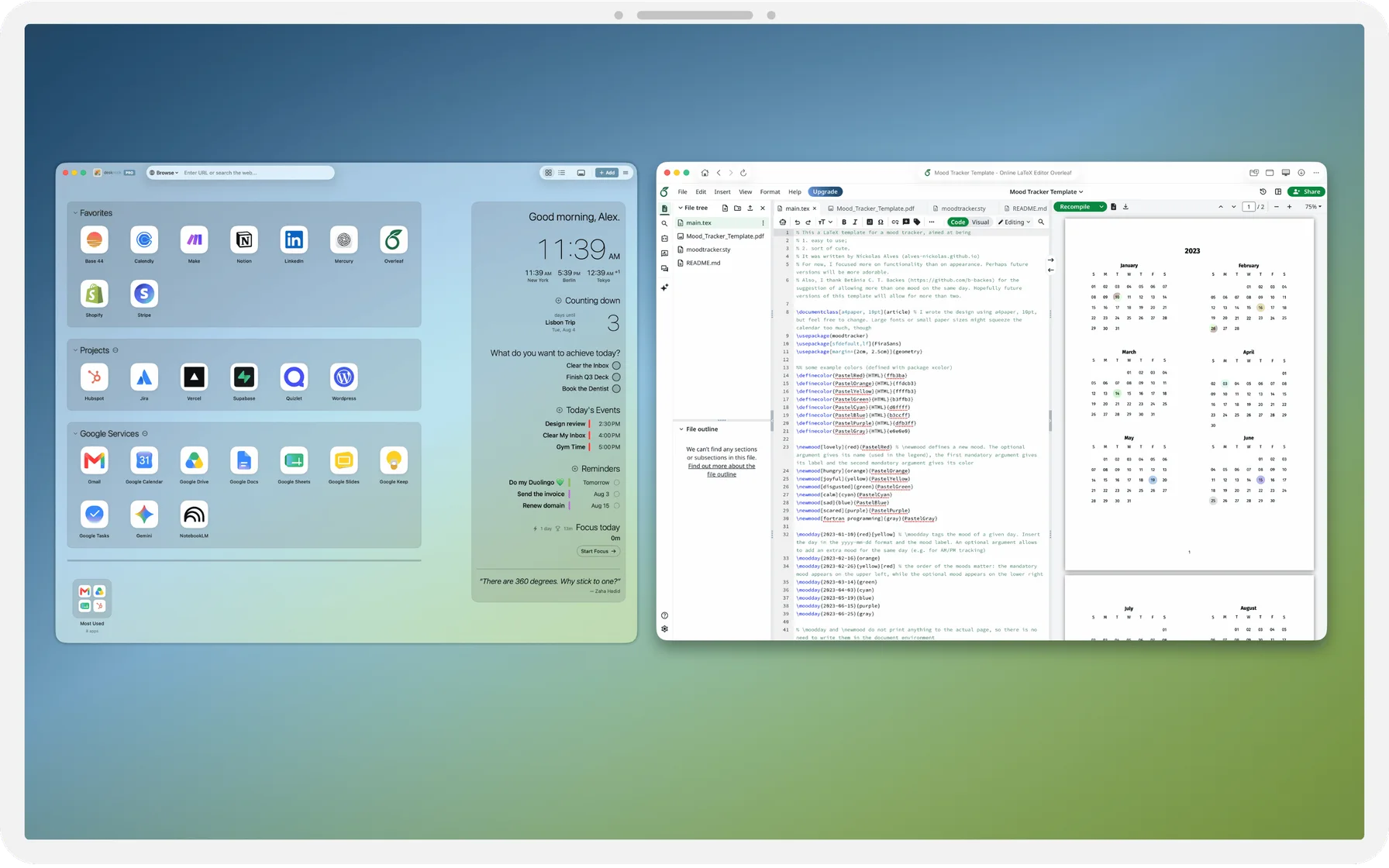
Nooks — group your apps the way you think
Work, personal, clients, side projects — make a Nook for each and drag apps where they belong. Collapse what you're not using, reorder until it matches how your day actually runs.
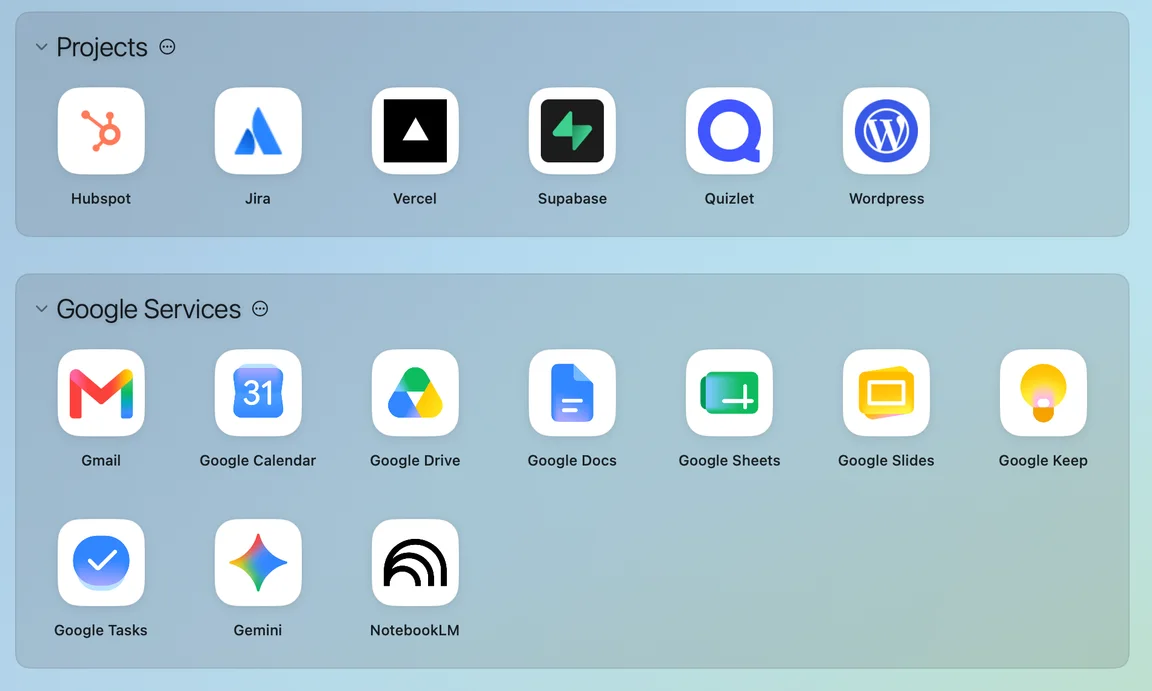
Floating Nook — your apps, always within reach
A floating panel that lives on the edge of your screen and stays put across every Space, desktop, and full-screen app. See which apps have open windows, switch with a single click, and auto-hide it when you need the room.
“Always there. Never in the way.”

Your web apps, right on the desktop
Add Gmail, Calendar, or any website you’ve saved as a macOS desktop widget. Glance at it, or click to jump straight into the app.
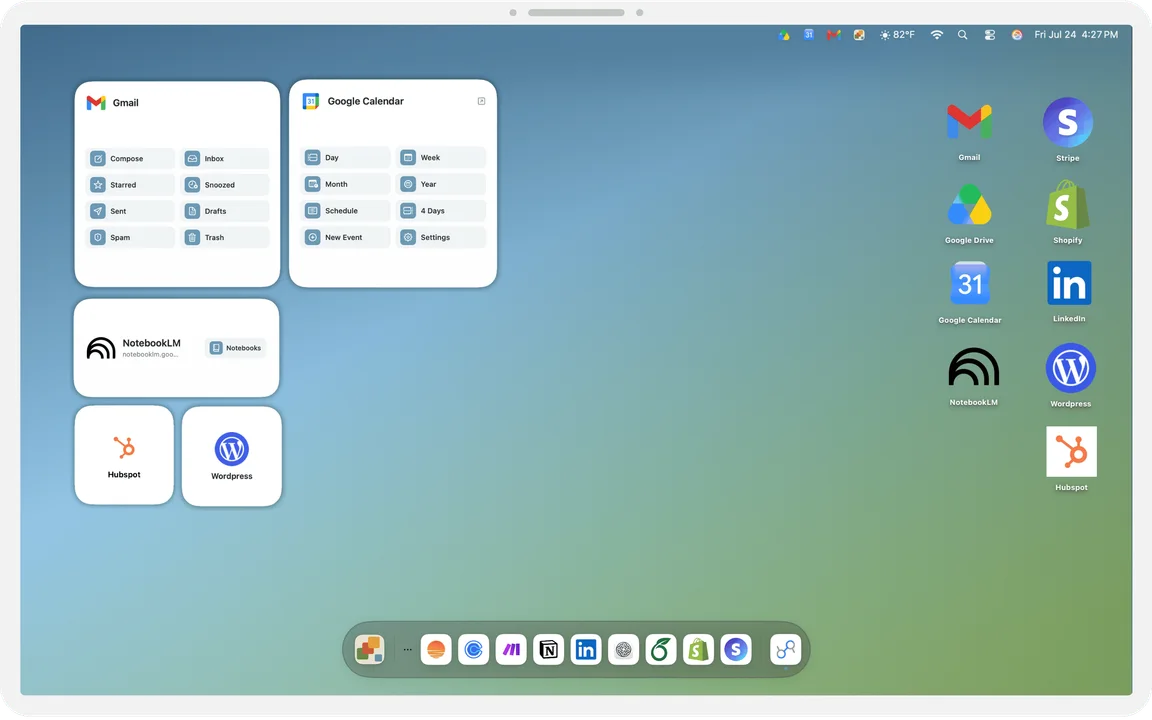
One click, or one keystroke, away
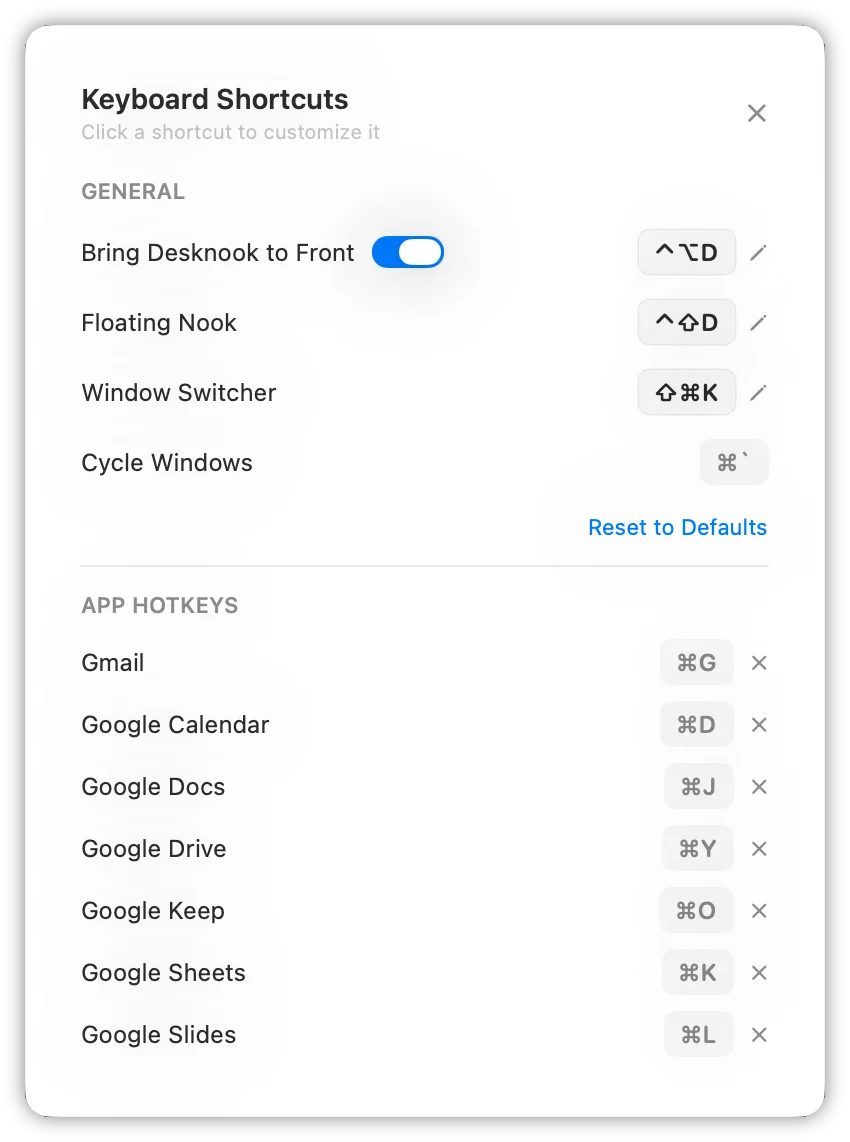
Pin your most-used apps to the menu bar for one-click access from anywhere. And assign a per-app keyboard shortcut (Pro) to launch any of them instantly, without lifting your hands from the keyboard.
Focus — deep work, built in
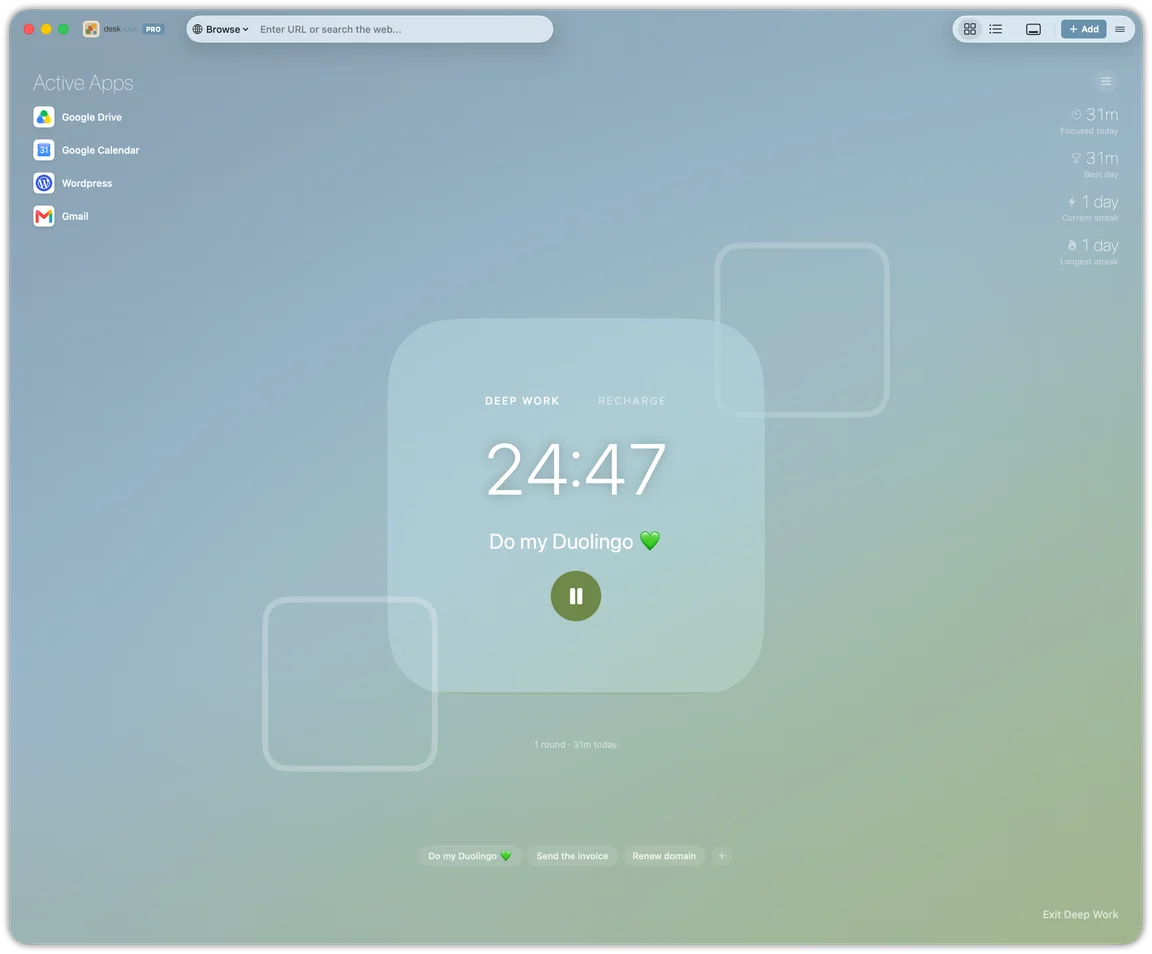
A calm, full-screen timer for focused work. Set an intention, choose a length, and let it run — with sound and banner alerts when each interval ends, and your daily total at a glance. Your open windows stay one click away, so you never lose your place.
Your day, beside your apps
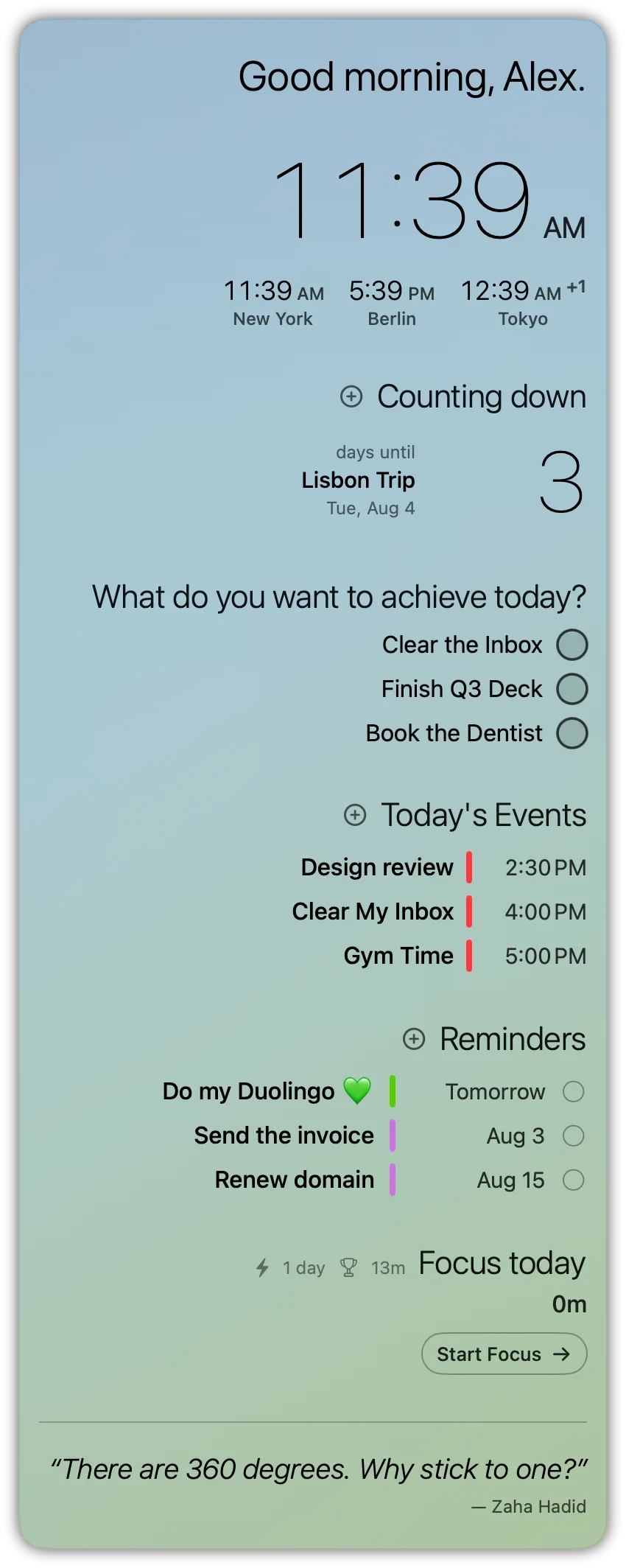
Today's events and open reminders sit in the sidebar — right beside the apps you'll use to deal with them. Add an event, check off a task; it syncs straight through to your Mac's Calendar and Reminders.
Not a wrapper — a real browser engine
Camera and microphone for Google Meet. Downloads with progress. Location for Maps. Picture-in-Picture, find-in-page, zoom, and print. Everything works the way it does in a full browser.
- Camera & mic
- Downloads
- Geolocation
- Picture-in-Picture
- Find in page
- Zoom
- File upload & drag-in
Your desk,
your way.
Private by design, on every tier
No accounts. No tracking. No analytics. Desknook keeps everything — your apps, settings, and browsing data — on your Mac. Nothing leaves your device.
- No account required
- Nothing tracked or analyzed
- All data stored locally
Free to start. Pro once, for life.
Free
$0
- 39 Google services — 10 ready on first run, the rest in the library
- Up to 3 custom websites
- Up to 3 favorites
- Up to 3 menu bar pins
- Full browser windows — find, zoom, print, downloads
- Native macOS notifications
- Camera, microphone & location
- Session restore & window position memory
- Daily goal, countdown, quotes & world clock
- Appearance customization & background rotation
- 46 languages
Pro
One price. Yours for good.
$14.99one-time
No subscription · Free lifetime updates
- Everything in Free, plus:
- Unlimited custom websites, favorites & menu bar pins
- Floating Nook — your apps on every Space
- Nooks — custom sections to organize your apps
- Drag & drop, plus an auto-built Most Used section
- Per-app keyboard hotkeys
- Desktop widgets for any app
- Desktop shortcuts
- Auto-hide toolbar
- Focus — a calm timer for deep work
- Calendar & Reminders in the sidebar
- Tracker Blocking
Free to download. Unlock Pro anytime with a single in-app purchase.
Priced in your local App Store currency.
Loved by early users
The calm home for your web apps
Program managers, marketers, students — here’s what people who traded tabs for Desknook have to say.
Alexander Saenz Program Manager · USA
“Every site I work in has its own window now — I’m not digging through twenty tabs to find the one I had open. The keyboard shortcuts and the dock are what hooked me. And it’s not locked to a set list of apps; whatever I need, I just add it.”
Dr. Carolin Hanser Communication Manager · Germany
“I love that my calendar and reminders sit right alongside my apps — it’s become the clean, single place I start my day. And no subscription, which honestly sealed it.”
Robert McCollum Finance leader · USA
“It was running the way I wanted in a few minutes. I move through my Workspace apps faster now — clean, straightforward, and it genuinely makes me more productive.”

Gabriel Elias Zanovello Law student · Italy
“No more tabs — everything I use is right there on the dashboard, a click or a pin away. And I can make it mine: my own background, set up the way I want it. It just feels like a calm place to work.”


FAQ
No. Desknook isn't affiliated with, endorsed by, or sponsored by Google. The Google services are a curated starter set — you can add any website you like. All Google names and logos are the property of Google LLC.

Your web. Your desktop. Your way.
Give every website a home on your Mac.
macOS 14 Sonoma or later · Apple Silicon & Intel · Free